
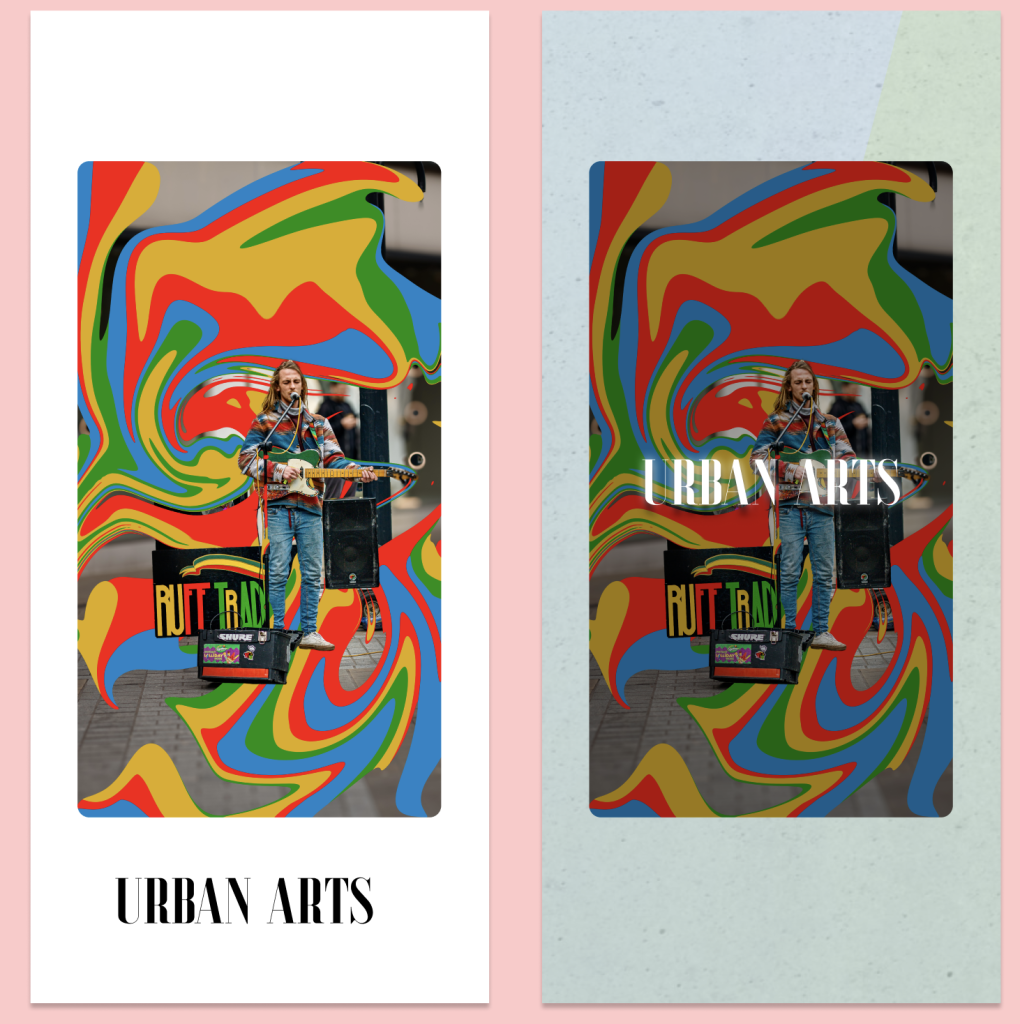
This is the prototype for my art gallery app. This prototype starts with a parallax scroll which switches from a simple photo to an enlarged photo with a gradient falling and the highlighted white logo from the brand guidelines. It then, after a couple of seconds, ends up at the home screen of the app.
Paralax pages.
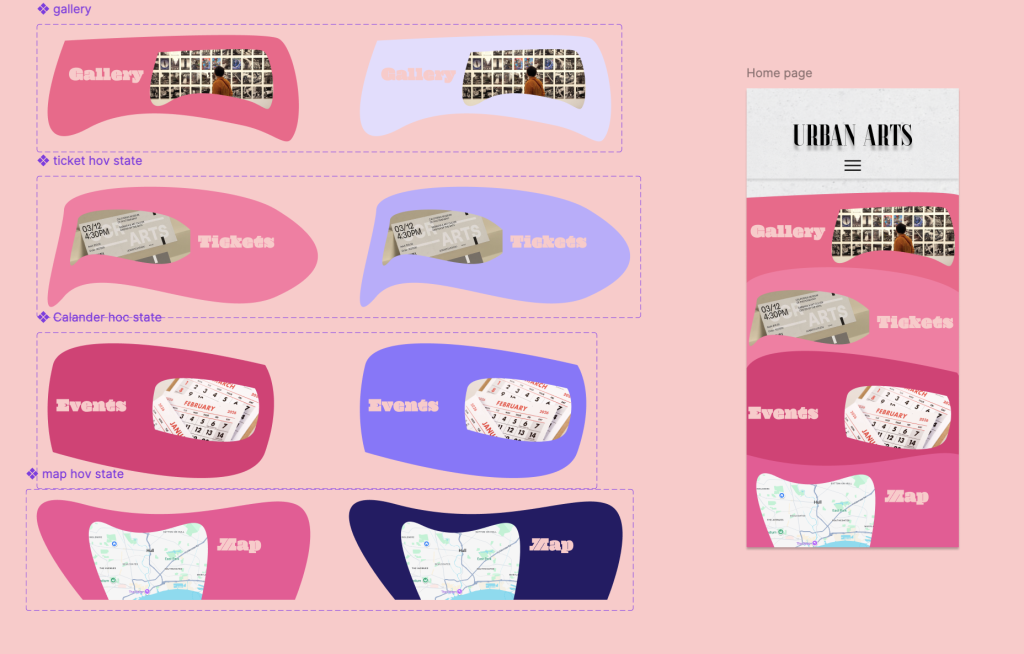
After the second delay, the app switches to the home page, which has a hover feature. When over each section of the page, they switch from a light pink to a light purple of different shades for each navigation point. When pressed, they take you to the described page.
Home Page + buttons
Gallery
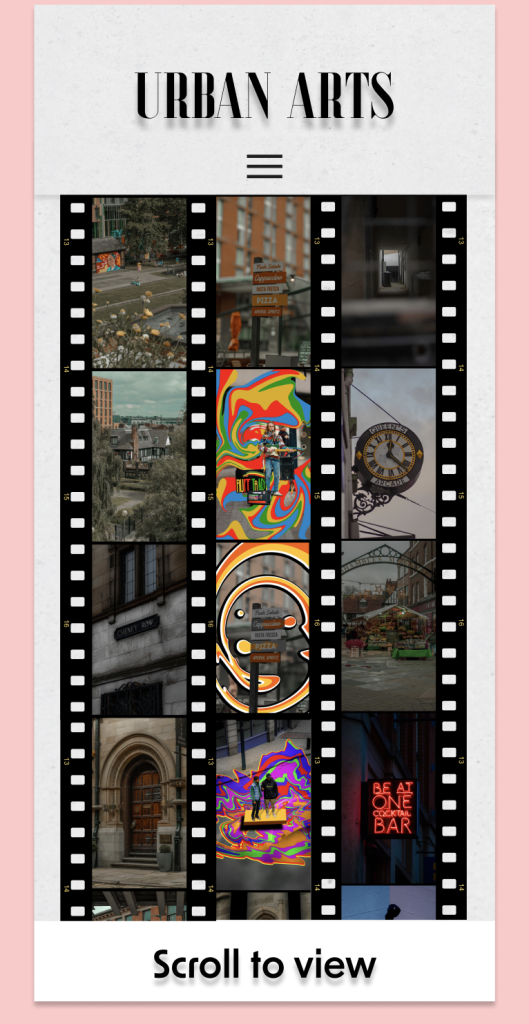
The gallery features three film reels that all scroll up and down, allowing the user to see multiple photos that are not fully visible on opening the page. The three separate scrolls allow the page to look unique for each user based on how they scrolled through.
Tickets
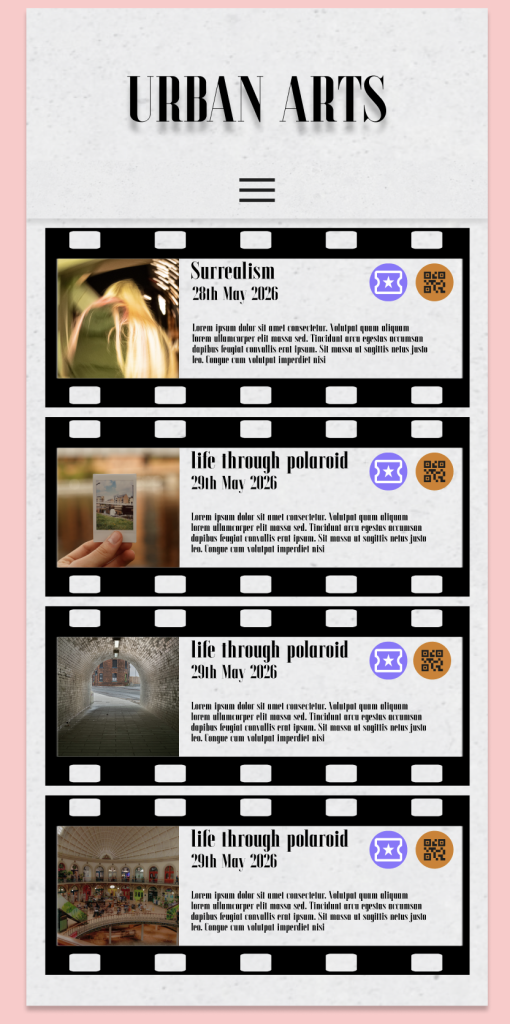
The ticket page features four events that are all described with the title. They all feature a picture of the same size on the left. The interactive part of this page is shown in the buttons. The QR code brings up an overlay that takes you to my previous photography work featuring some of the photos in the app. When pressed, the ticket button whites out and changes to a darker purple to simulate the person saving the event ticket for a later date.
events
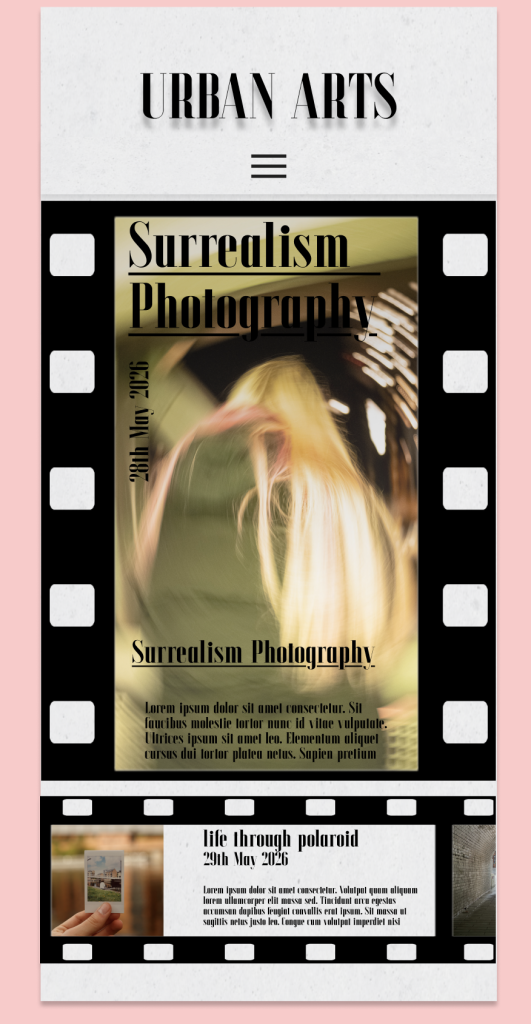
This events page continues the film reel aesthetic that some of the pages have. This page features a scroll on the bottom of the page, allowing you to see the different events from the tickets page, serving as an informational page for the users to understand what is happening at the museum.
Map
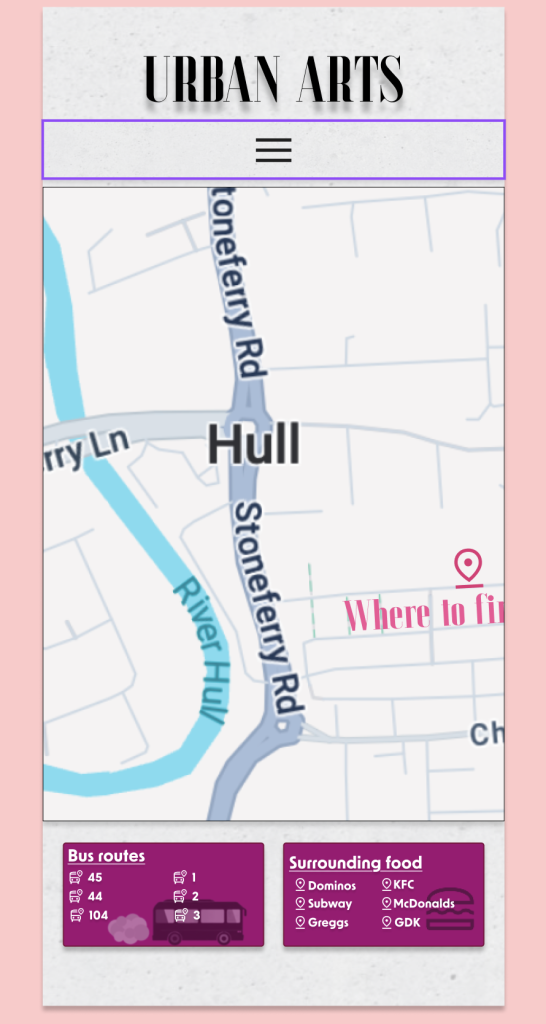
Finally, the map page has an interactive map allowing the user to swipe through the map of Hull and lets them see where the museum is with a ” where to find us ” text and pin placed on the map. To add to the informational base of this map, it has a surrounding food list and bus routes that are around the museum.