Class work
Friday the 30th
For this lesson we have looked at the brief for this module, It is to design an App based on a museum styling of our choice (e.g modern, 20th century, art specific) with our own choice of art that is being put up for display from fine art , traditional art, digital art and more,
For my First thoughts I think I want to make a modern theming Museum that is souly focused on photography with the main style being street photography with sub categories ranging from portraiture, architectural street photography, Candid street photography and possibly surrealism. I want to use these four sub categories of street photography because It means I can use my own primary images in my preferred style, it also allows me to experiment in my production with surrealism and portraiture a style I do not shoot vey often.
For the App it needs 8 pages One of these will be a sign up page which can be made simple and Follow a minimalist style that can be linked through colour pallet usage with little to see and an easy track to Follow
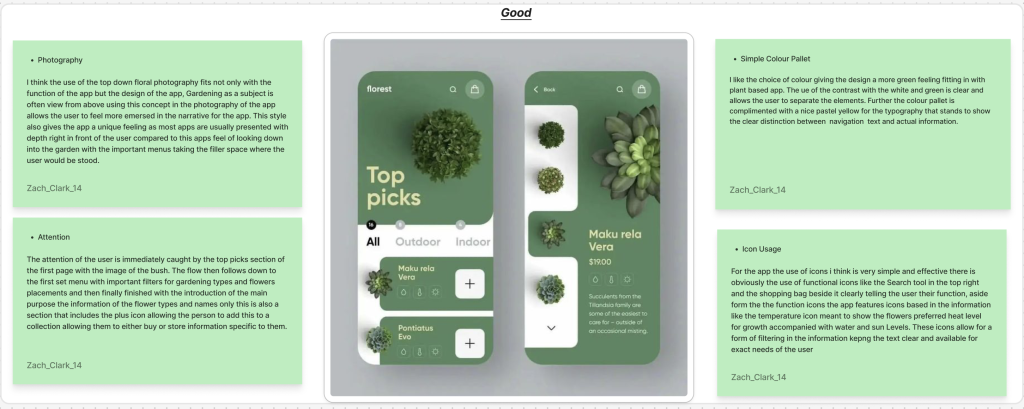
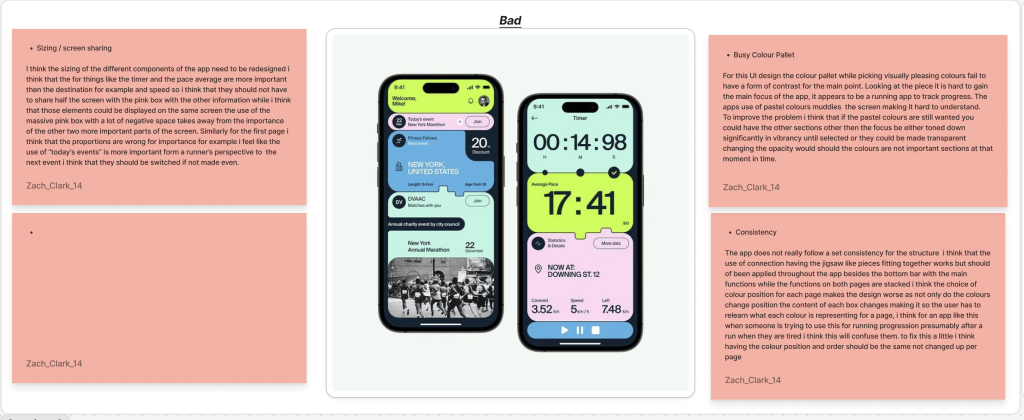
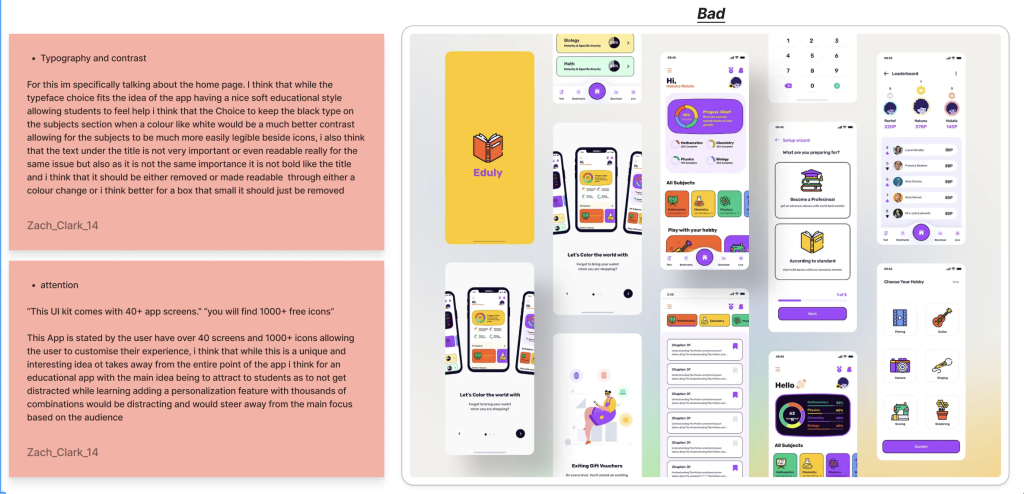
Good, Bad and Ugly
Friday the 6th of February
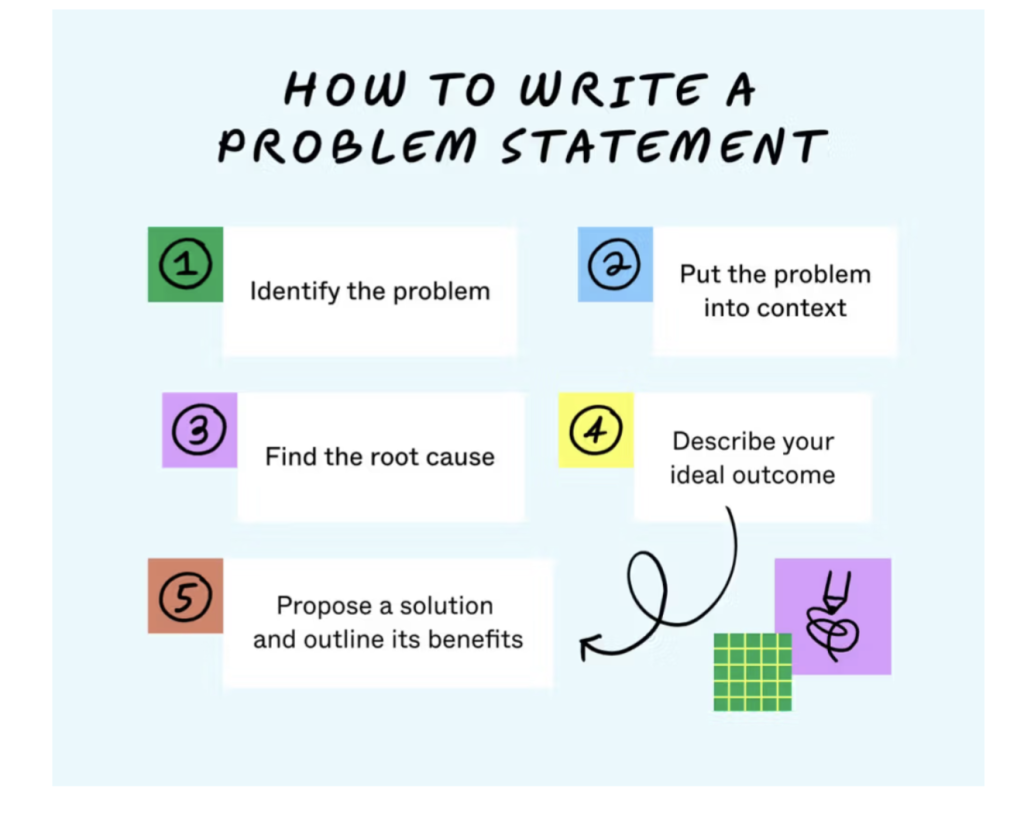
Problem statements
Problem : Adoption (Getting people to use the app )
Trying to solve problem in different statements
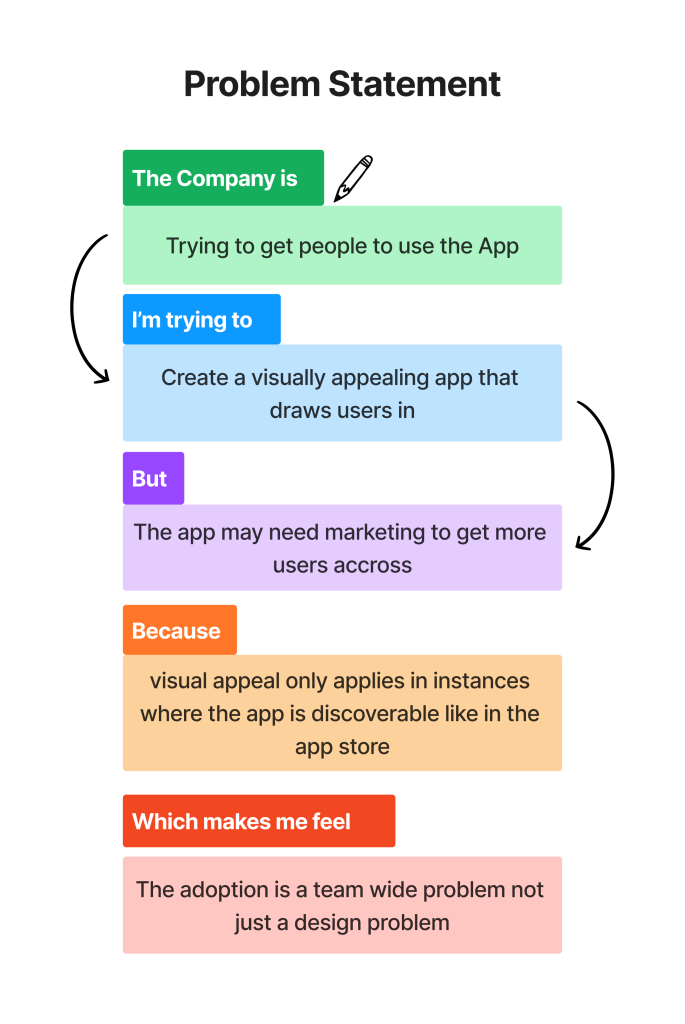
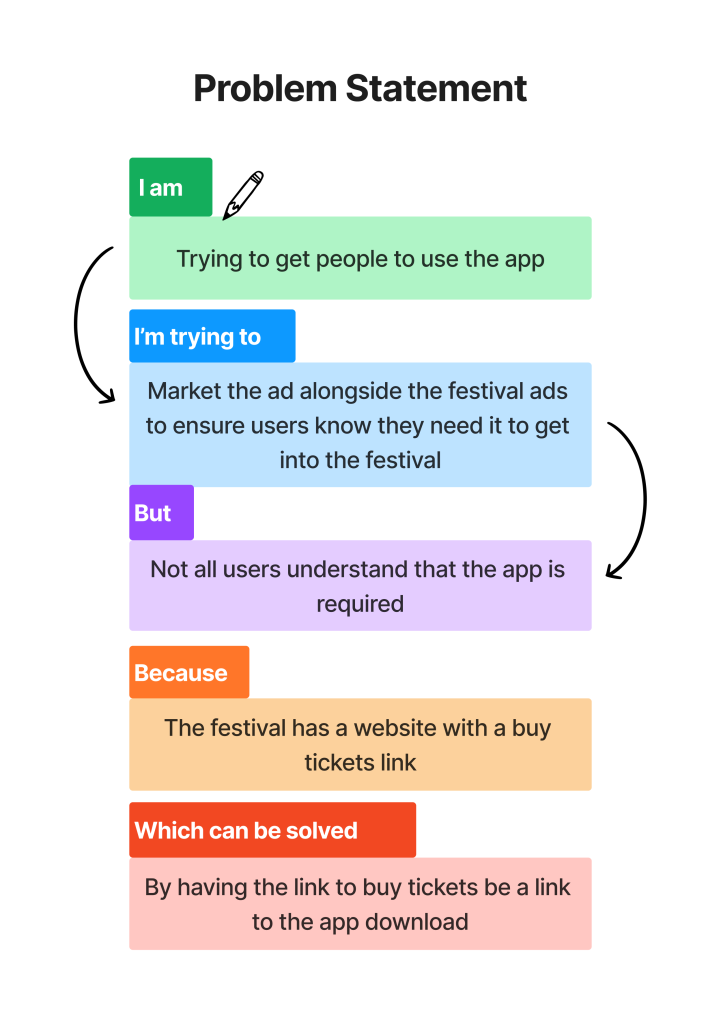
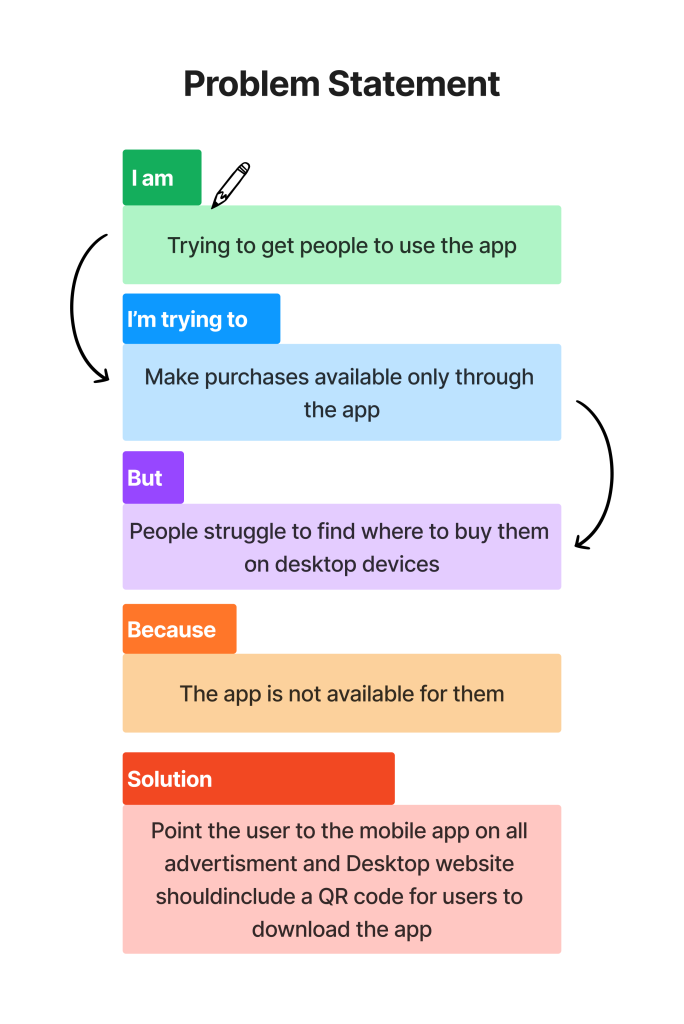
The purpose of the problem statement is to find a problem in the system through “”Symptoms” like people complaining or users discovering bugs in the system and reporting them
These issues affect steak holders who may have more incline to want the problems fixed as they are the ones funding the app.
User Needs

User needs for the different types of people involved within the festival with different features depending on the type of job the person is doing for the festival.
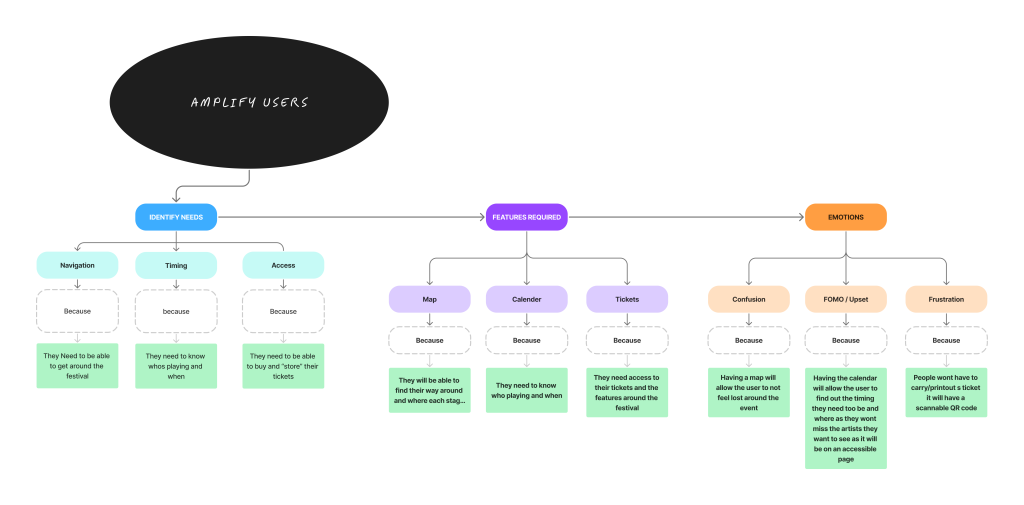
This Chart marks the information for the users of the festival and the problems they may face and then once the problem is identified the chart goes to the solution for it with the app selection to fix it so the features that can be added finally the chart outlines what positive impact the feature will have on the user.
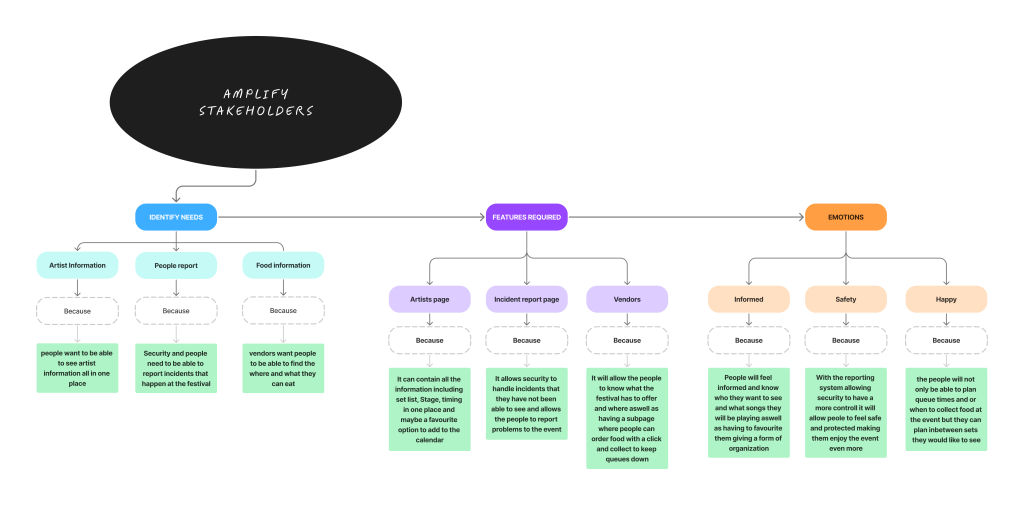
This chart has the same purpose of the last one but it is based around the stakeholders and their problems and how pages/features in the app could fix those problems aswell as the impact on the customers the app will have.
Thursday 12th Febuary 2026
For this session the goals are
- 2x user personas
- User Flow Chart
User Personas
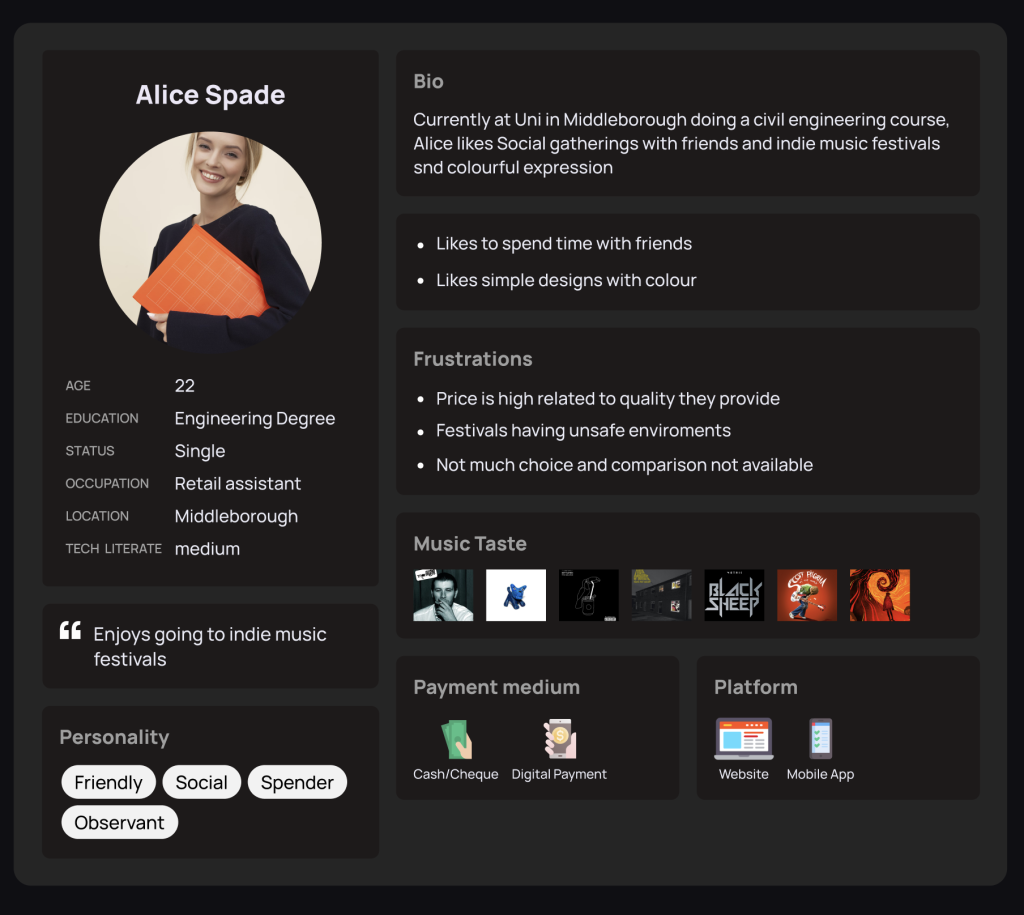
This persona depicts Alice Spade a 22 year old Uni student working part time retail, She likes social gatherings and Indie music.
This persona inspires the app ideas
- Price comparisson
- security features
- quality = price filter (maybe based on reviews )
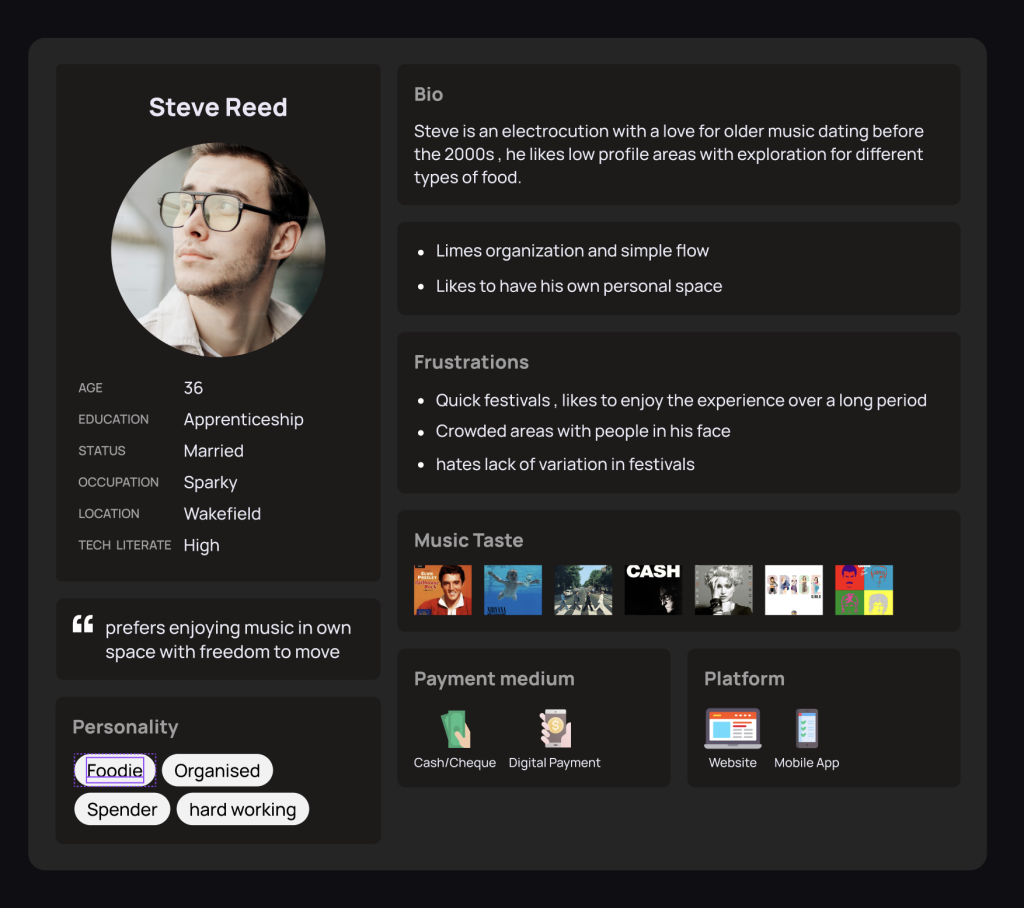
This User Persona depicts Steve a 36 year old sparky who likes organization and exploration in different food pallets. He likes pre-2000s music and prefers to listen to music with his own personal space
Inspired App features
- Genre Filteration
- Low populated area tracking (map maybe or special tickets)
- Minimalist design
- variation in genre and stages (not one centralised stage )
User Flow charts
A user flow chart is to show the flow of the app and how it works at the different stages
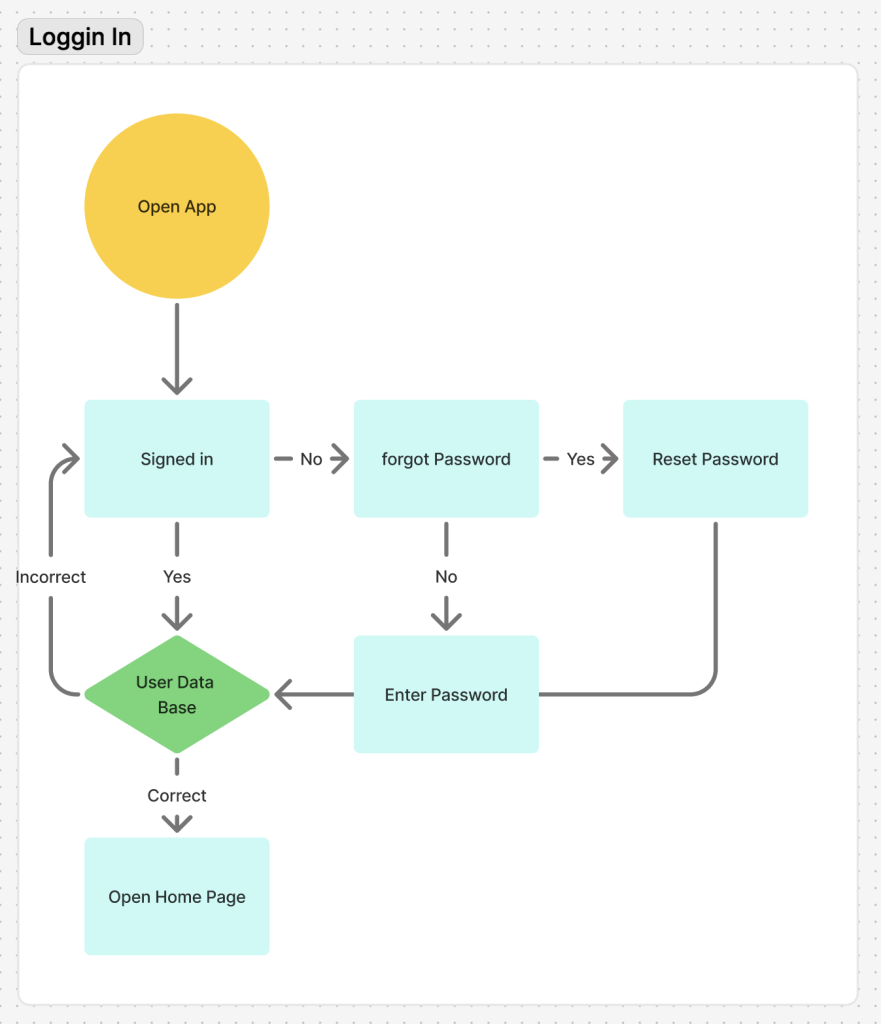
This Flow chart shows the steps the app will take when a person is trying to log in if they are signed in the app will check to see if it is correct and log them on if it is if its not it will take them back to the sign in page, similarly if the person is trying to sign in and they forgot their password it will get them to reset the password then reenter their reset password and check it against the data base if the password is correct it will sign them into the app.
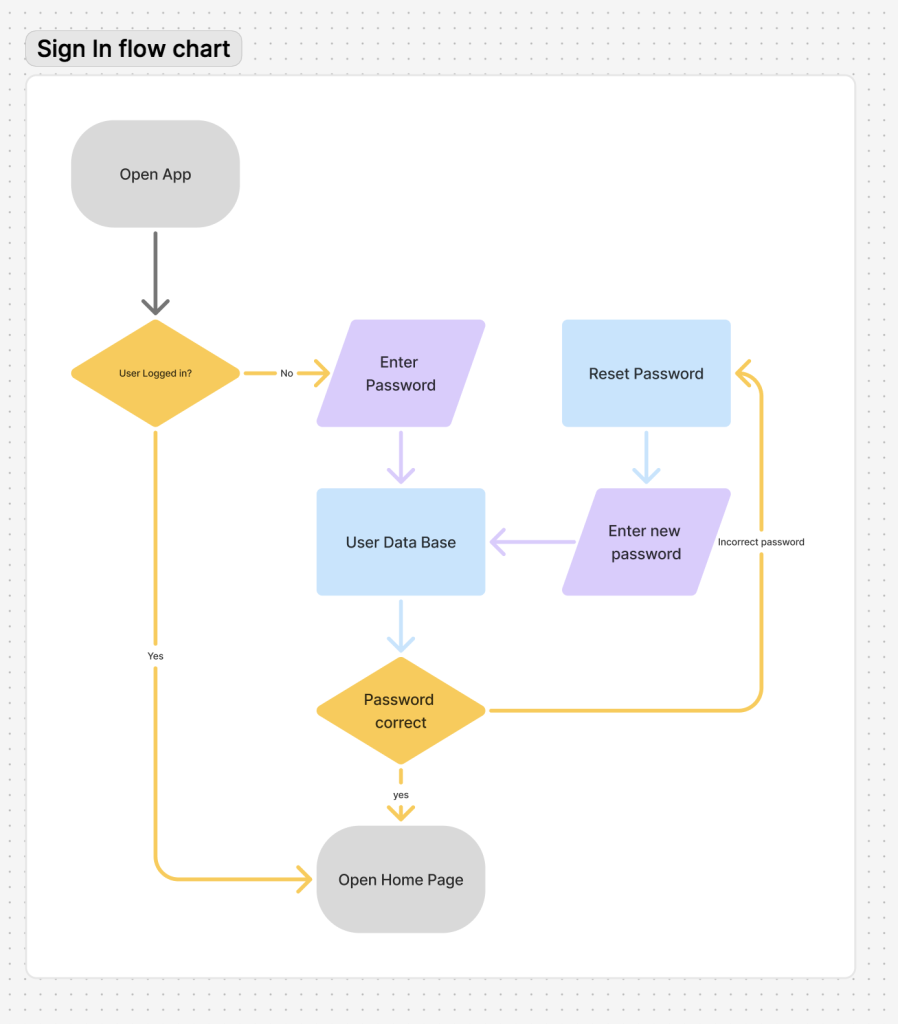
For this flow chart it is made to show the process the app will go through when opening the app. first it will see if the user is logged in if so it will open the home page if not it will ask them to input their password and check it against the database if correct the Home Screen will open but if not the app will ask the user to reset their password and then once done the new password will be inputed and checked against the data base and if correct they will be let into th home screen of the app.